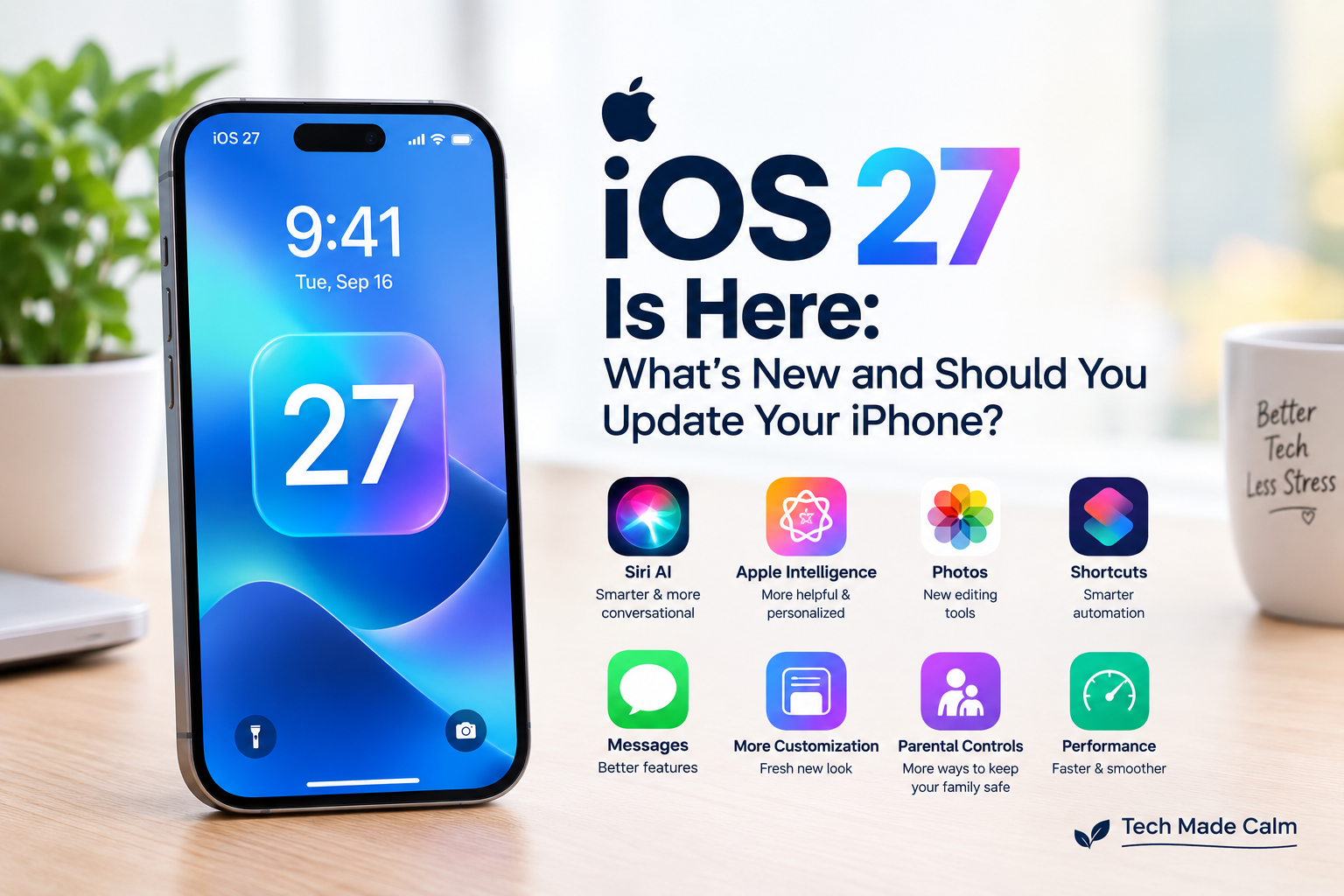
Apple has released iOS 27, bringing a major collection of new features and improvements to compatible iPhones.
The biggest change is Siri AI, Apple’s redesigned Siri with more conversational abilities, personal-context understanding, onscreen awareness, and the ability to perform more actions across apps.
But should you install iOS 27 right away?
Here’s what you need to know.
What Is iOS 27?
iOS 27 is Apple’s latest major software update for the iPhone.
It became available on September 14, 2026.
Unlike a small security update, iOS 27 introduces changes to the way several parts of your iPhone look and work.
The update includes improvements to Siri, Apple Intelligence, Photos, Shortcuts, Messages, the interface and more.
1. Siri Gets a Major AI Upgrade
One of the biggest reasons people are interested in iOS 27 is the new Siri AI.
Apple describes it as a much more capable and conversational Siri.
It can understand more natural requests and has greater awareness of what’s happening on your screen.
It can also work across apps to help complete tasks.
Siri AI launches in beta, so some features may continue to improve over time.
2. Apple Intelligence Gets More Capable
iOS 27 expands Apple’s AI features across the iPhone.
Apple says the new Apple Intelligence capabilities make everyday apps and experiences more helpful and personalized.
However, not every iPhone gets every Apple Intelligence feature.
Newer compatible iPhones are required for some of the more advanced AI features.
So don’t assume that installing iOS 27 will give every iPhone exactly the same features.
3. The iPhone’s Look Gets More Customizable
iOS 27 continues Apple’s Liquid Glass design introduced in the previous major release.
The new update adds additional customization options, including the ability to adjust the appearance of the interface.
There are also updated app icons and additional widget options.
If you liked the previous iPhone design, some of these changes may take a little getting used to.
4. Photos Gets New Tools
Apple has also added improvements to the Photos experience.
Some of the new features use Apple Intelligence to provide additional editing capabilities.
This gives iPhone users more ways to work with and edit their photos directly on the device.
Some advanced photo features are limited to newer compatible iPhones.
5. Shortcuts Gets Smarter
The Shortcuts app gets an AI-focused upgrade.
Apple is making it easier to create automations and perform tasks using natural-language instructions.
If you’ve never used Shortcuts before, you don’t need to learn it immediately.
It’s an optional feature that can become useful once you’re comfortable with the basics.
6. More Improvements to Messages and Other Apps
iOS 27 includes improvements throughout Apple’s built-in apps.
Apple says the update also brings changes designed to make everyday experiences more responsive and useful.
Some features are subtle, so don’t worry if your iPhone doesn’t look dramatically different after installing the update.
7. New Parental Controls
Apple is also expanding parental controls.
The new tools give parents more ways to manage children’s access to apps and online activities.
These features won’t matter to everyone, but they can be useful for families sharing Apple devices.
8. Performance Improvements
Apple says iOS 27 includes improvements intended to make the overall experience more responsive.
Some reports also point to faster app launches and improvements to areas such as AirDrop and network switching.
The exact experience will depend on your iPhone model.
An older supported iPhone shouldn’t necessarily be expected to perform like a brand-new model.
9. Which iPhones Support iOS 27?
iOS 27 supports iPhone 11 and newer models, along with compatible iPhone SE models.
However, support for iOS 27 does not mean every feature is available on every supported iPhone.
The most advanced Apple Intelligence features require newer hardware.
10. Should You Update to iOS 27?
For most people with a compatible iPhone, yes, updating is reasonable.
Major software updates contain new features as well as important security improvements.
However, you don’t have to rush blindly.
If your iPhone is essential for work or you are worried about compatibility with an important app, you may want to make sure everything you rely on is working properly before updating.
Apple has also released iOS 26.7, which provides security updates for people who aren’t ready to move to iOS 27 yet.
Before You Update to iOS 27
Before installing a major iOS update, it’s a good idea to:
- Back up your iPhone
- Make sure you have enough free storage
- Connect to Wi-Fi
- Charge your iPhone
- Make sure you know your Apple Account password
- Give yourself enough time for the update
Don’t start a major update when you urgently need your phone.
How to Install iOS 27
To check for the update:
Settings → General → Software Update
If iOS 27 is available for your iPhone, you’ll see the option to download and install it.
Follow the instructions shown on your screen.
Your iPhone may restart during the installation.
What If iOS 27 Isn’t Showing Up?
Don’t panic.
First, make sure your iPhone is compatible.
Then check:
Settings → General → Software Update
Make sure you’re connected to Wi-Fi and have enough available storage.
You can also restart your iPhone and check again.
What If My iPhone Feels Slow After iOS 27?
Don’t immediately assume the update damaged your iPhone.
After a major update, your iPhone may perform background tasks while it finishes setting everything up.
You may temporarily notice:
- More battery usage
- Extra warmth
- Slightly slower performance
Give the phone some time and check again later.
If problems continue, restart the iPhone and make sure your apps are updated.
What If My Battery Drains Faster After Updating?
Temporary battery drain can happen after a major software update while the iPhone completes background processes.
If you’re still experiencing unusually fast battery drain after things settle down, check:
Settings → Battery
Look at which apps are using the most battery.
For more help, see our guide:
Why Is My iPhone Battery Draining So Fast? 10 Simple Fixes
The Bottom Line
iOS 27 is a major iPhone update with a strong focus on AI, Siri and new ways to personalize and use your iPhone.
For most people with a compatible iPhone, updating is a good idea, especially because software updates also include security improvements.
But remember that not every iPhone gets every new feature.
If you’re nervous about updating, make a backup first, make sure you have enough storage and install the update when you have time to deal with any temporary changes.