QR codes are everywhere.
You might see them on restaurant tables, parking meters, posters, packages, emails, text messages, or even signs in stores.
You simply point your phone’s camera at the code, scan it, and open the website.
But there’s a problem: a QR code itself doesn’t tell you whether the website behind it is legitimate.
Scammers can use QR codes to send people to fake websites designed to steal passwords, payment information, or other personal details. The Federal Trade Commission has recently warned consumers about QR-code scams, including fake QR codes placed over legitimate ones.
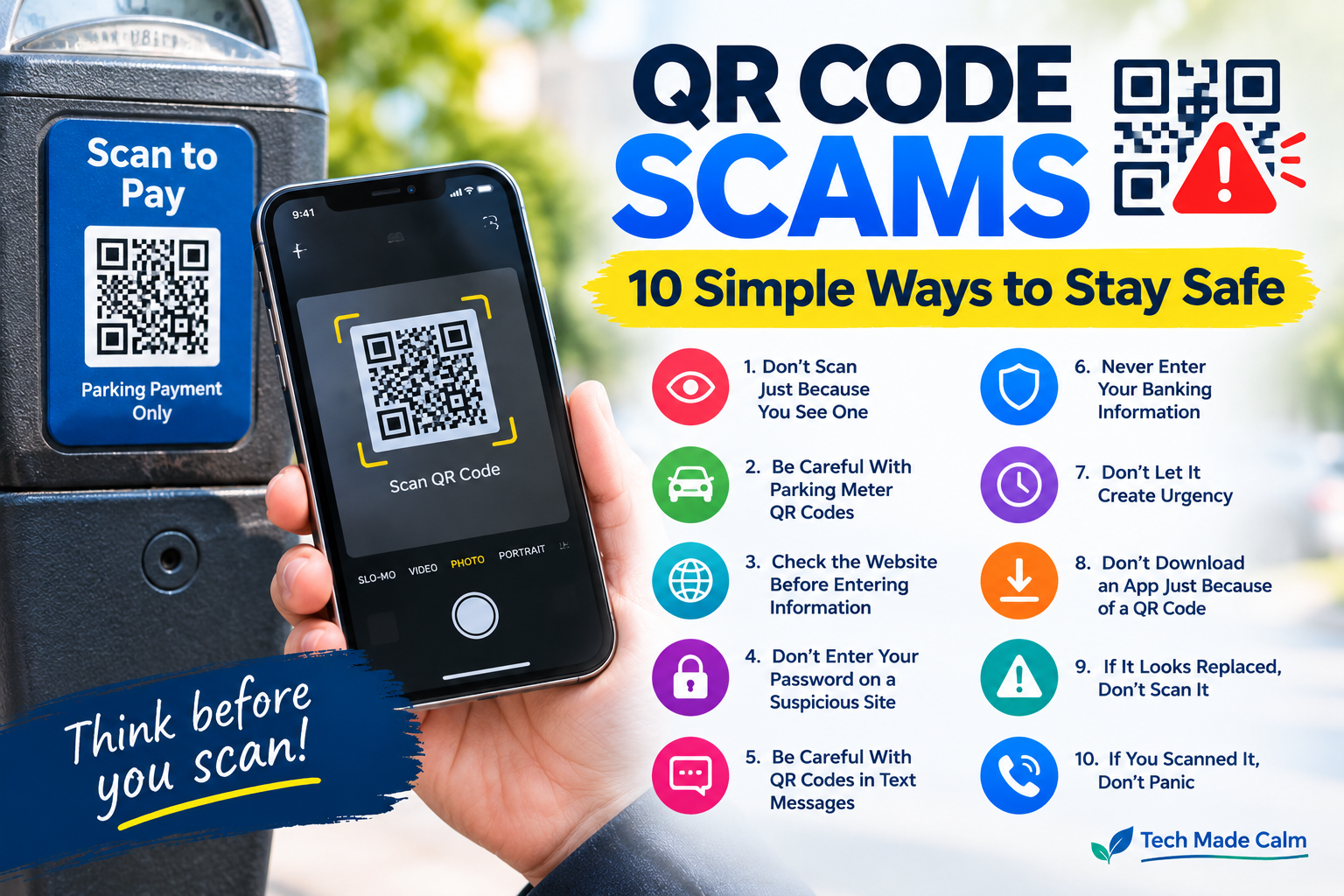
Here are 10 simple ways to protect yourself.
1. Don’t Scan a QR Code Just Because You See One
Seeing a QR code doesn’t mean you need to scan it.
If you weren’t expecting to use one, take a moment to ask:
Why am I being asked to scan this?
If a sign, text message, email, or stranger is urgently telling you to scan a code, be cautious.
2. Be Careful With QR Codes on Parking Meters
The FTC recently warned about scammers placing fake QR codes over legitimate QR codes on parking meters.
A fake code can send you to a website designed to steal your information or money.
Before scanning a parking QR code:
- Look for signs of tampering
- Check whether another QR sticker appears to have been placed over the original
- Consider using the official parking app instead
- Type the official website into your browser yourself when possible
3. Check the Website Before Entering Information
After scanning a QR code, your phone may open a website automatically.
Don’t immediately enter your information.
Look carefully at the website address.
Be suspicious if:
- The address looks strange
- The company name is misspelled
- The website uses an unusual domain
- The page asks for unnecessary personal information
- The page creates a sense of urgency
A website looking professional doesn’t prove that it’s legitimate.
4. Don’t Enter Your Password on a Suspicious QR Website
A QR code might take you to a fake login page.
It could pretend to be:
- Your bank
- Amazon
- PayPal
- Apple
- Microsoft
- A delivery company
If the page asks you to sign in, stop and verify the website first.
For important accounts, you can instead open the company’s official app or type its known website address yourself.
5. Be Careful With QR Codes Sent by Text
Scammers can send QR codes through text messages.
For example, you might receive a message claiming:
“Your package could not be delivered.”
The message may tell you to scan a QR code to reschedule delivery.
Or it might claim:
- You owe a toll
- Your account needs verification
- Your payment failed
- You have an unpaid fine
- You won a prize
The FTC has reported multiple scams that begin with unexpected texts and urge people to take action.
Don’t scan the code just because the message looks official.
6. Never Enter Banking Information Just Because a QR Code Tells You To
Be particularly careful if a QR code takes you to a page requesting:
- Bank account information
- Credit card numbers
- Passwords
- Social Security numbers
- Verification codes
Stop and verify the request independently.
If your bank supposedly needs you to take action, open your bank’s official app or contact the bank using a phone number from your card or official statement.
7. Don’t Let a QR Code Create Urgency
Scammers often want you to act before you have time to think.
A QR message might say:
- “Pay now”
- “Your account will be closed today”
- “Avoid a penalty”
- “Your package will be returned”
- “Your benefits will stop”
- “Your payment is overdue”
An urgent message isn’t proof that something is wrong.
Take a moment and verify the situation independently.
The FTC advises people receiving unexpected calls or messages to contact the organization themselves using information they know is legitimate.
8. Don’t Download an App Just Because a QR Code Tells You To
Some QR codes may direct you to download software or an app.
Be careful.
If you need an app, go directly to the Apple App Store or Google Play Store and search for the official app.
Don’t install software simply because an unexpected QR code tells you to.
9. If a QR Code Looks Like It Has Been Replaced, Don’t Scan It
Pay attention to the physical QR code.
If you see:
- A sticker placed over another QR code
- Torn edges
- Strange printing
- A code that looks different from nearby signs
- A QR code added to a surface where it doesn’t belong
Don’t scan it.
The FTC specifically warns that scammers have placed fraudulent QR codes over legitimate ones.
10. If You Scanned a Suspicious QR Code, Don’t Panic
Scanning a QR code doesn’t automatically mean you’ve been hacked.
What matters is what happened after you scanned it.
If you only opened the page and didn’t enter information or download anything, close the page and don’t interact with it further.
If you entered a password, payment information, or other sensitive information, take steps to secure the affected account.
If you gave information or money to a scammer, our guide can help:
I Gave My Information to a Scammer — What Should I Do Now?
You can also report suspected fraud to the FTC at ReportFraud.ftc.gov.
How Can I Tell If a QR Code Is Safe?
There is no single visual feature that guarantees a QR code is safe.
Instead, consider:
Where did the QR code come from?
Why are you being asked to scan it?
What website does it open?
What information is it asking you to provide?
If anything feels unexpected, stop and verify the request another way.
Are QR Codes Themselves Dangerous?
No.
QR codes are simply a convenient way to open information or a website.
The problem is where the QR code sends you.
A legitimate business can use a QR code safely, but scammers can also create QR codes that lead to fraudulent websites.
What If I Already Entered My Information?
If you entered sensitive information after scanning a suspicious QR code, act quickly.
Depending on what you provided, you may need to:
- Change the affected password
- Contact your bank or card issuer
- Monitor your accounts
- Secure your email account
- Watch for additional scam messages
- Report the scam
Don’t continue communicating with the scammer.
The Bottom Line
QR codes can make everyday tasks easier, but you shouldn’t automatically trust every QR code you see.
Before scanning one, think about where it came from and why you’re being asked to use it.
Be especially careful with QR codes in unexpected text messages, emails, parking areas, and other places where a code may have been replaced or added by someone else.
And if a QR code sends you to a website asking for sensitive information, stop and verify the request through an official source first.